ChemList
Organized chemistry, for the substances that make everything else
Search, find and manage your lab's chemicals — by name, CAS number or structure.
No sign-up. You get a private copy of a sample inventory with about 3,900 chemicals; edit freely, it resets when you reload.
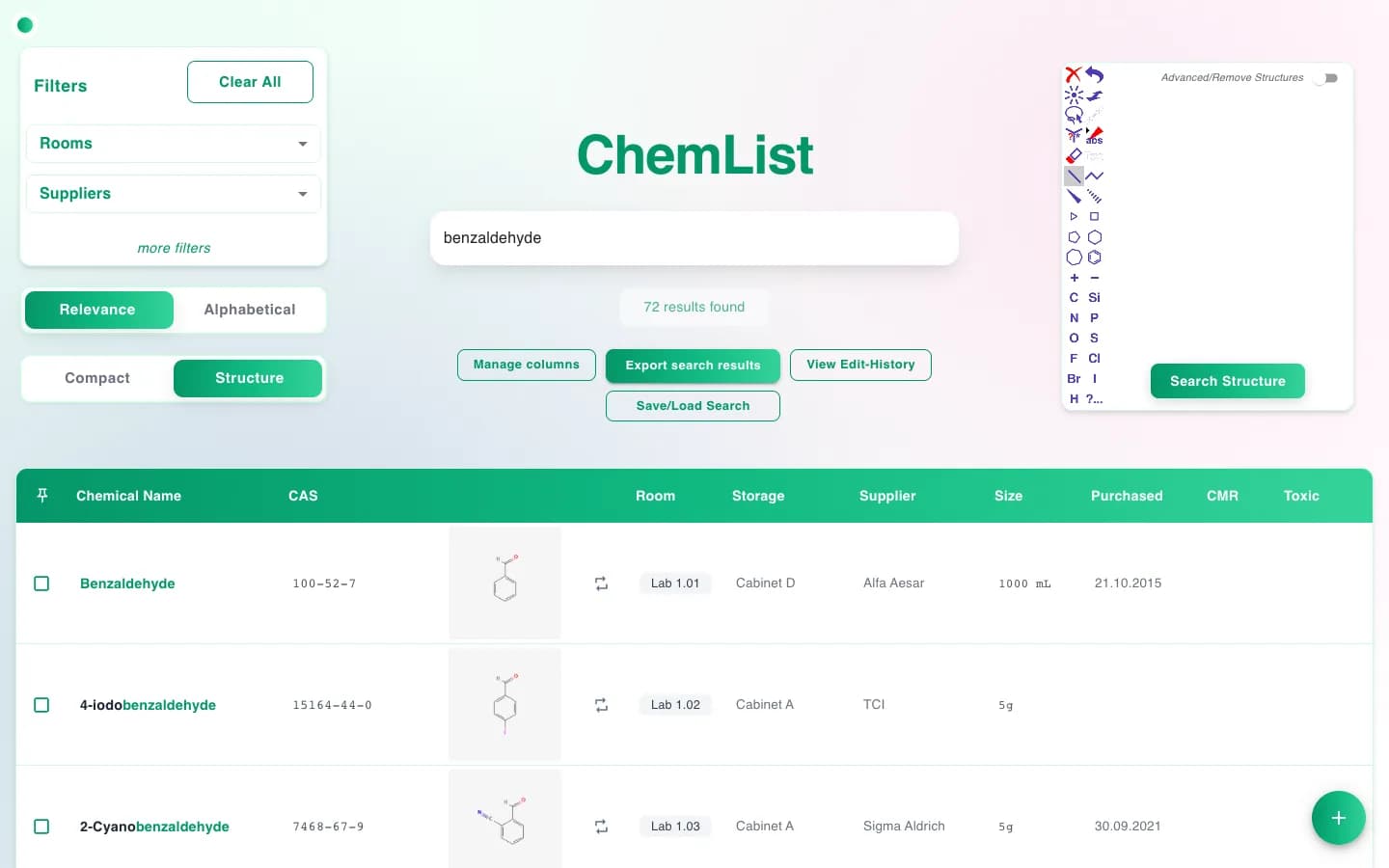
Text search
Find it, however it was written down
Type a name, part of a name or a CAS number. The best matches come first, and ChemList understands both German and English.
- Search by name, alternative name or CAS number. Several words work in any order.
- Exact names first, then names that start with your query, then everything that contains it. Related compounds stay together.
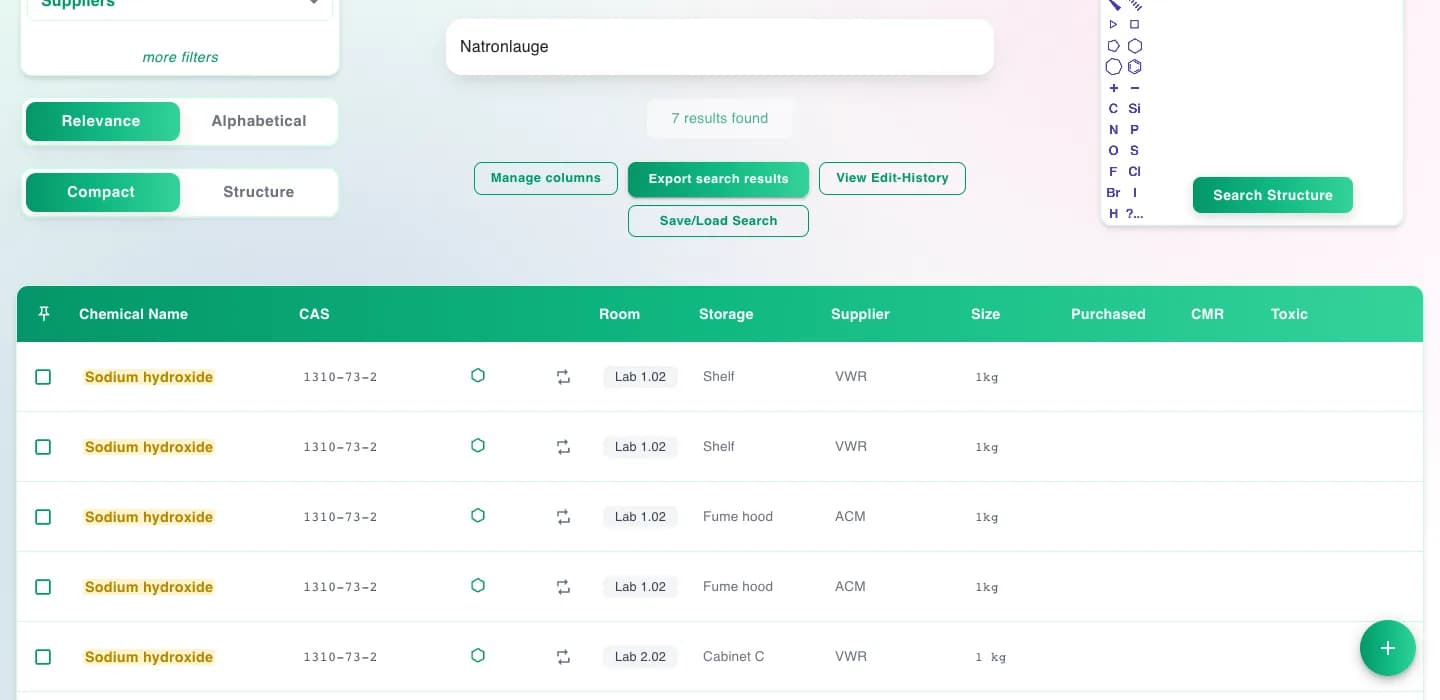
- German ⇄ English: Kupfer finds copper compounds, Natronlauge finds sodium hydroxide, and spellings like Chlorid / chloride or Sulfat / sulfate match each other. Translated hits are highlighted.
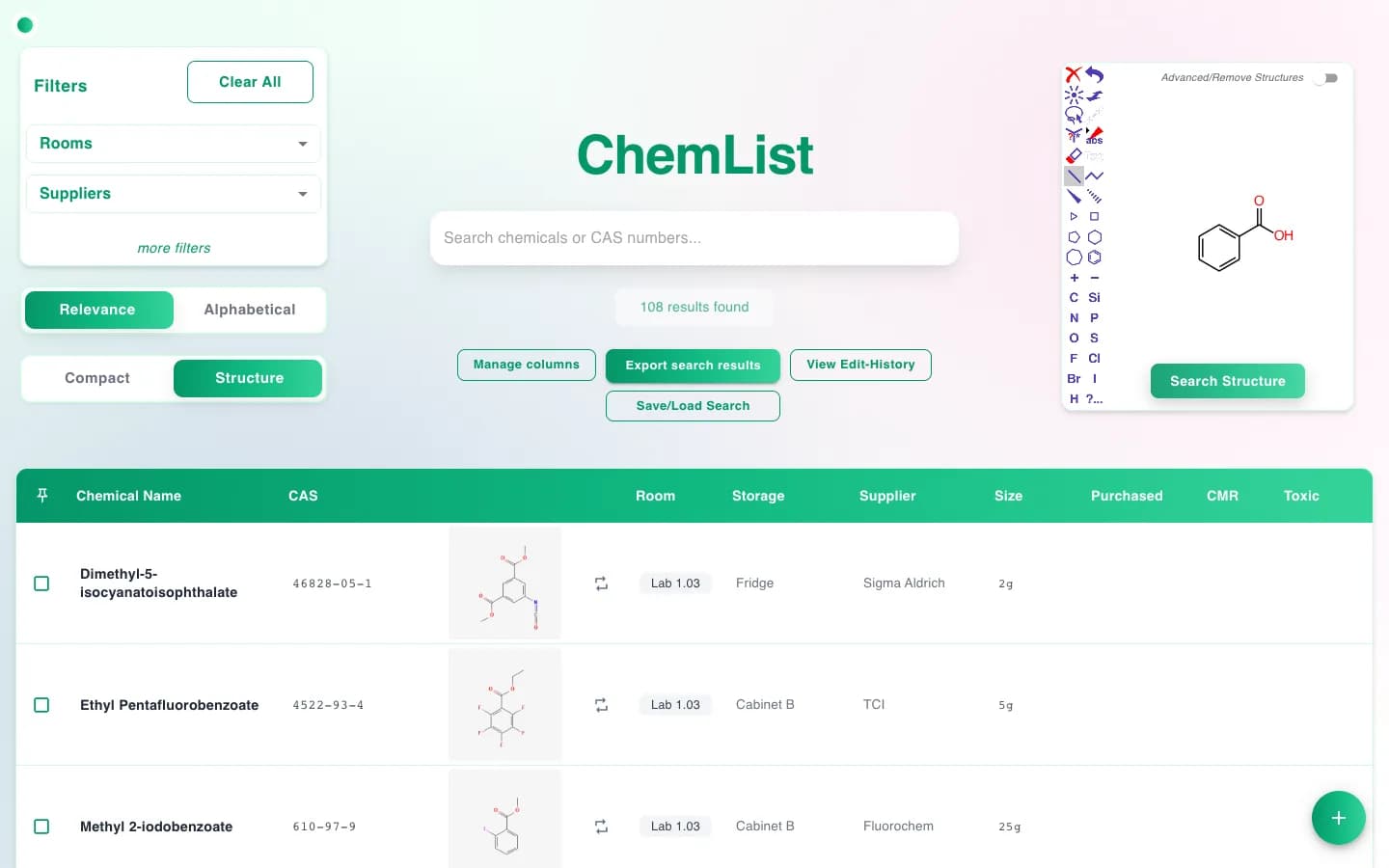
Structure search
Draw what you're looking for
Sketch a structure in the built-in editor and ChemList finds every chemical in your inventory that contains it, with a drawing of each hit.
- Substructure search, powered by the RDKit cheminformatics toolkit.
- Advanced mode: combine several fragments that must be present with fragments that must be absent, for example all benzoic acids that do not carry a nitro group.
- Switch the result list to structure view to see each molecule at a glance.
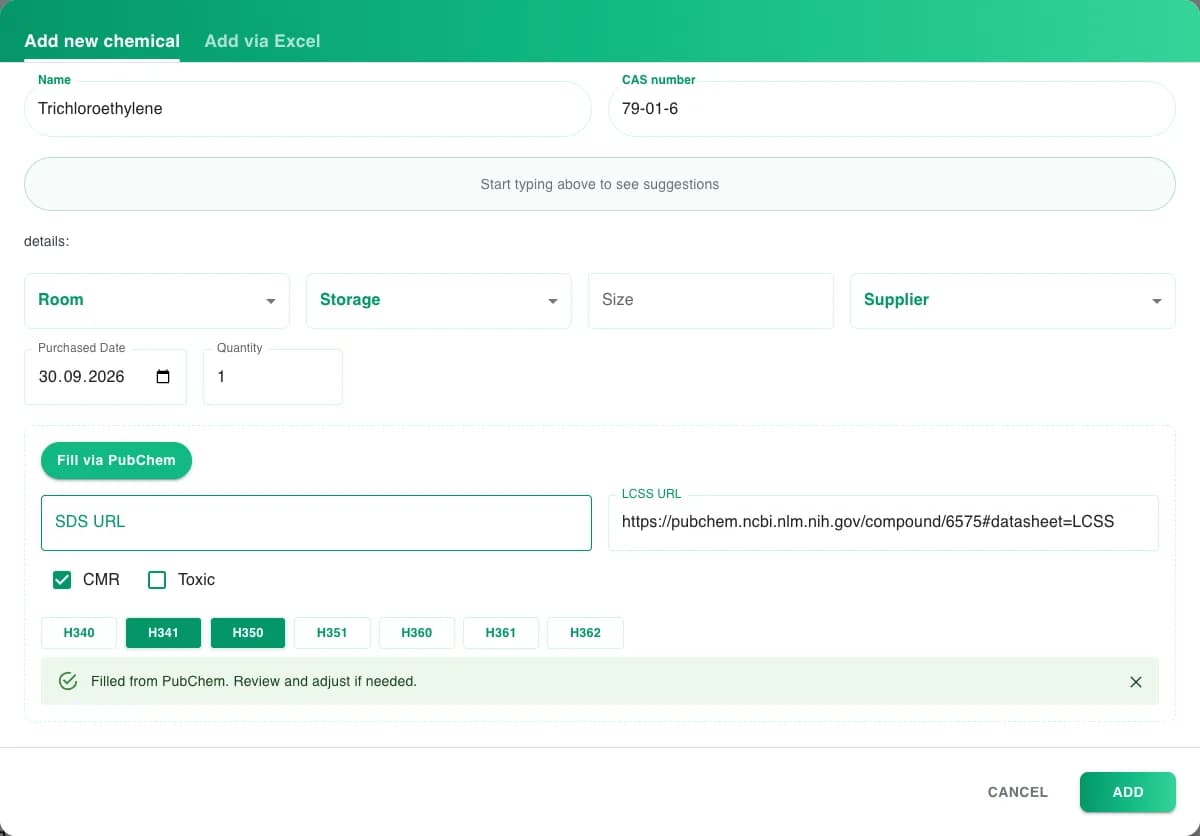
PubChem lookup
Enter a CAS number, get the safety basics
Adding a chemical takes seconds: type its CAS number and click Fill via PubChem. ChemList fills in:
- The structure (SMILES, InChIKey and PubChem CID), so the chemical shows up in structure searches right away.
- The CMR classification with its H-codes: carcinogenic (H350/H351), mutagenic (H340/H341) and toxic to reproduction (H360–H362).
- A toxic flag for acutely toxic substances.
- A link to the PubChem Laboratory Chemical Safety Summary. Add your supplier's SDS link next to it.
Hazard data comes from PubChem. Review it before you rely on it.
Excel import
Bring your existing spreadsheet
Most labs start from an Excel list. Upload it and ChemList adds every row that has a name and a CAS number. The columns it reads:

And more
The everyday things a lab needs
Filters
Narrow down by room, storage place, supplier or bottle size, or show only toxic or CMR substances.
Rooms and storage
Storage places are organized per room, so every bottle has a clear, consistent location.
Export
Export any search result as CSV, Excel or PDF, for example for safety inspections.
Saved searches
Save a search together with its filters and bring it back with one click.
Borrowing
Mark a bottle as borrowed by another room until a date. It returns home automatically.
Edit history
See recent changes at a glance and undo a mistake.
Any device
Works in the browser on desktop, tablet and phone. Nothing to install.
Colour themes
Pick green, purple or cyan. This page follows your choice.
See it for yourself
Search, draw structures and add chemicals in the demo. Interested in ChemList for your lab or company? Get in touch.